
Your website address
Your default web address
Every Artlook subscription includes a free website at its own address: https://site-server1.artlookonline.com/your-slug, where your-slug is based on your name. Click the globe icon in the top navigation at any time to open your site at this address.
This address is meant for setting up and checking your site while you don’t yet have your own domain connected — it isn’t intended as your permanent public web address. Once you’ve connected your own domain (below), that’s what you should share and promote.
Using your own domain
If you’d rather use your own domain — for example https://www.yourname.com — choose Domains from the System Menu (click your login name, top right).
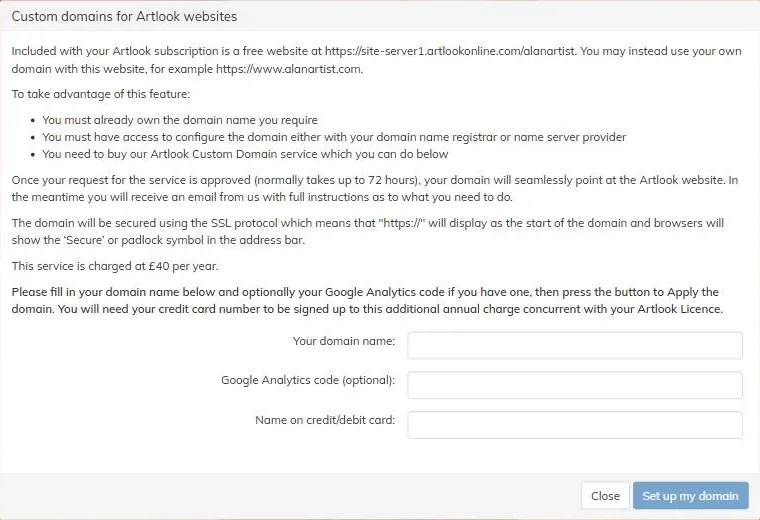
To use your own domain:
- You must already own it, and have access to configure it with your domain registrar or name server provider.
- You need to buy Artlook’s Custom Domain service, which you can do from this same screen — enter your domain name and the name on the card you’re paying with, then click Set up my domain. This is charged as an annual add-on alongside your Artlook subscription.
Once your request is approved (normally within 72 hours), your domain will point at your Artlook website, and we’ll email you clear, step-by-step instructions for making the specific DNS changes your registrar or name server provider needs. Every hosted domain — whether it’s your own or the free default address — is automatically secured with SSL, shown as the padlock/https in the address bar, and works with Artlook’s built-in website analytics. You can optionally also connect a Google Analytics account, either here or in website settings.