
Managing users
If you signed up for Artlook, you have administrator rights. Other users only get administrator rights if you grant them.
Click your login name at the top right of the screen, then Manage users, to see everyone registered on your account, add new users, or edit existing ones. How many people can be logged in at once depends on your subscription.
Adding a user
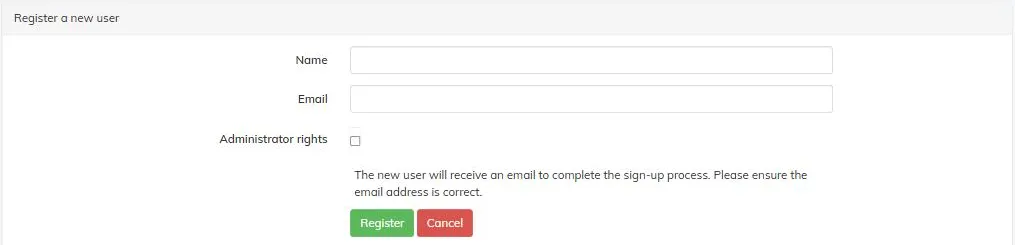
Click Add a new user and fill in their name and email address. Double-check the email — the new user is sent a link to that address to complete their own sign-up. Tick Administrator rights if they should have them too, then click Register.
Editing a user
Click the edit icon next to a user’s name to change their details or administrator rights. You can’t change a user’s password for them — they do that themselves from the login screen’s Forgotten password link.